Resources
Apr 25, 2026
AI Tools That Give You Your Time Back — Part 4: Your Full AI Stack. What It Costs. What It Saves. How to Build It.
Part 4 of the AI for Small Business series. The complete AI stack — free, $100, and $200 a month tiers — in the order you should build it, with honest numbers on hours saved per week.
Part 4 of 4 in the AI for Small Business series. Read Part 1, Part 2, and Part 3 first.
Three parts in and now we build the complete picture.
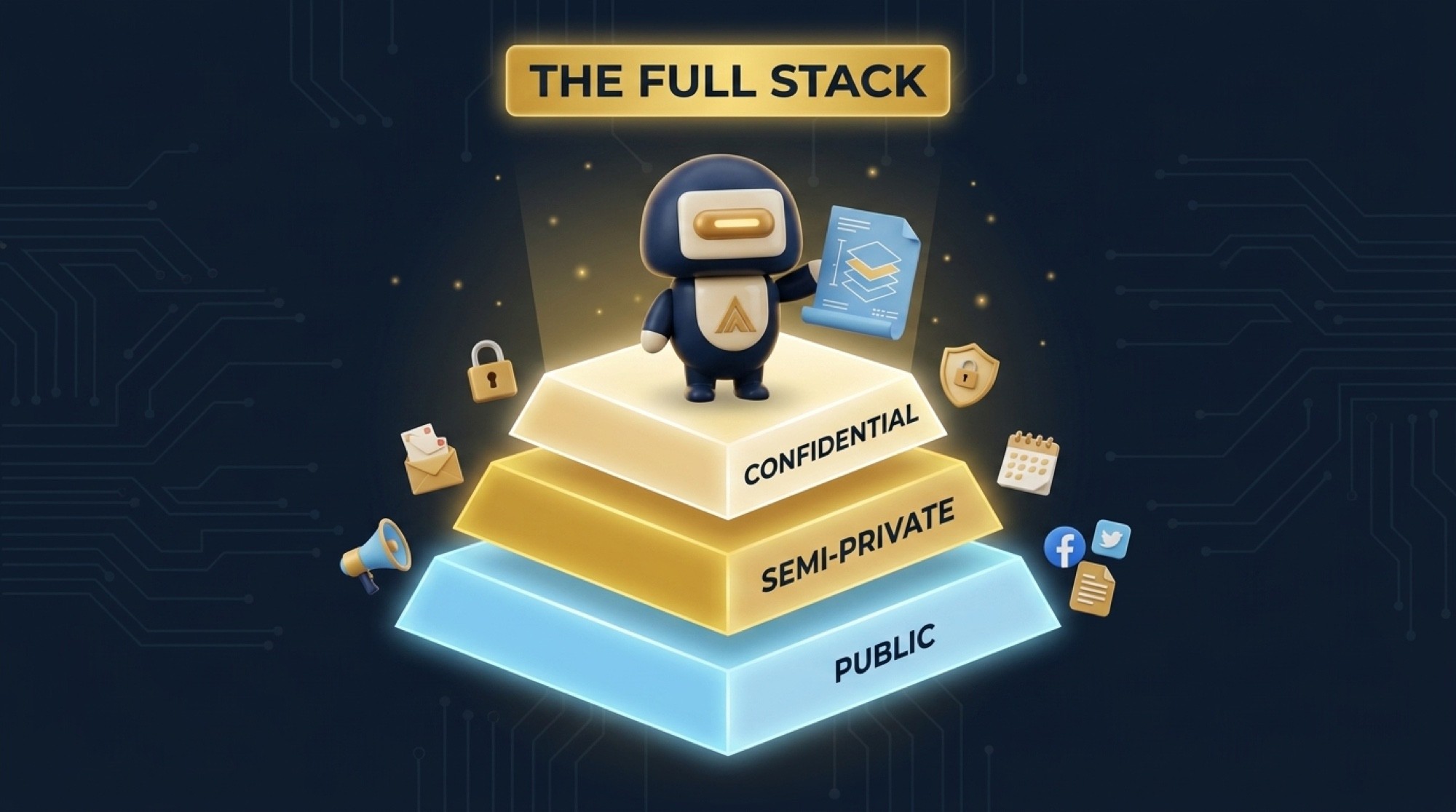
If you read Parts 1 through 3, you know the framework. Layer 1 is marketing — use AI freely. Layer 2 is admin and semi-sensitive work — use business-tier cloud tools. Layer 3 is confidential — run local AI only, nothing leaves your device.
Now I want to show you exactly what that looks like as a full system, tiered by budget, ordered by what to do first, and with honest numbers on the time you actually get back.
Before You Buy Anything — Three Questions
Every tool in your stack needs to answer yes to all three of these before you pay for it.
Does it solve a problem I have right now — not a problem I might have someday at ten times my current size?
Does it connect to what I already use? A tool that creates a silo makes your business slower, not faster.
Is the information I'm putting into it appropriate for that tool's privacy tier? Marketing content in marketing tools. Sensitive information in local tools. Never reversed.
If any tool fails one of those questions, it does not belong in your stack yet.

The $0 Stack — Start Here Regardless of Revenue
I do not care how much your business makes. Unless you are already using and maxing out these free tools, you have no business paying for anything yet.
Claude.ai or ChatGPT free tier — content writing, captions, email drafts, marketing copy. Marketing use only. Do not put sensitive information in free plans.
Canva free tier — social graphics, presentations, basic flyers. More than enough to start.
Brevo free tier — up to 300 emails a day to unlimited contacts. Enough to run a real email list.
HubSpot free CRM — contact management, deal tracking, email tracking, forms. Free forever and it sets you up properly when you're ready to grow.
Calendly free tier — one event type is enough to eliminate scheduling back-and-forth for your primary service.
GPT4All — free, runs on your laptop, no internet required. Install this and use it for anything involving sensitive documents from day one.
Time saved per week at this tier: 5 to 8 hours.
Monthly cost: $0.
The $100 to $150 Per Month Stack — When You're Ready to Scale
You move to this tier when you are using the free tools consistently and you are hitting their limits. Not before.
Everything in the $0 stack, plus:
Claude Pro or ChatGPT Plus at $20 a month — longer outputs, faster responses, better brand voice consistency once you set it up correctly.
VEED.io paid plan around $18 a month — AI auto-captioning, background removal, multi-format video export for Reels and TikToks.
Mailchimp Essentials or Brevo Starter at $13 to $25 a month — automated welcome sequences, send-time optimization, automated follow-ups.
Calendly Standard at $10 a month — unlimited event types, workflow automations, follow-up sequences.
Zapier or Gumloop free tiers — connect your tools so content flows automatically from one platform to the next without you touching it.
Time saved per week at this tier: 10 to 15 hours.
Monthly cost: $80 to $100.
The $150 to $200 Per Month Stack — When Team and Operations Are the Bottleneck
You get here when you have people working with you and the bottleneck has shifted from content creation to communication and operations management.
Everything in the previous tiers, plus:
Microsoft 365 Business Basic plus Copilot at $36 per user per month — data-protected AI inside Outlook, Word, Excel, and Teams. Worth it the moment client communication happens at volume.
Notion AI at $10 per user per month — SOPs, client records, project management, and internal knowledge your team can actually find and use.
QuickBooks Simple Start at $35 a month — AI-assisted expense categorization, automated invoicing, financial reporting. Replaces the manual bookkeeping hours that kill solo operators.
Zapier Starter at $20 a month — more automation tasks, multi-step workflows, and filter logic for edge cases.
Time saved per week at this tier: 15 to 20 hours or more depending on your operation.
Monthly cost: $130 to $200 depending on team size.
The Hardware Layer — One-Time Cost, Not Monthly
Samsung T7 Shield 4TB at around $286 — encrypted portable drive. All sensitive documents live here and nowhere else. Never touches a cloud service.
GPT4All with LocalDocs — already free, already covered. This is the software that makes that encrypted drive useful for more than just storage.
UGREEN NASync iDX starting at $999 without drives — private server for businesses that have outgrown a single laptop setup. Full team access, built-in local AI, no third-party cloud involved. This is the upgrade path when your Layer 3 needs grow beyond what a portable drive handles.
The Order Matters — Do Not Skip Steps
Week 1: Set up HubSpot free CRM and connect it to your email.
Week 2: Set up Calendly. Send your booking link to the next ten people who try to schedule with you.
Week 3: Install GPT4All. Use LocalDocs with your most recent client folder or contract archive.
Week 4: Start using Claude or ChatGPT free tier for marketing content only. Build the habit first.
Month 2: Upgrade to one paid content tool once you are using the free version every day.
Month 3: Add paid email automation once your list hits 100 contacts or more.
Month 4 and beyond: Add Microsoft Copilot or Notion AI once team communication is what is slowing you down.
Do not buy Tier 3 tools before Tier 1 tools are running. Every tool you add before the previous one is a habit is money you are wasting.

What This Actually Means in Hours
Writing captions and social content: from 3 hours a week to about 30 minutes. 2.5 hours back.
Drafting emails and proposals: from 4 hours to about 45 minutes. 3-plus hours back.
Scheduling back-and-forth: from 2 hours to almost nothing with Calendly. About 2 hours back.
Reviewing and summarizing documents: from 3 hours to 20 minutes with local AI. Another 2.5 hours.
Manual bookkeeping and expense entry: from 3 hours to 45 minutes with QuickBooks. About 2 hours back.
Total: somewhere between 12 and 15 hours back every week.
If your time is worth $75 an hour, that is roughly $900 a week in recaptured capacity. At $150 an hour it is close to $2,000. The full stack at Tier 3 costs around $200 a month.
The math is simple. The only question is whether you're willing to put in the two or three weeks it takes to actually build these habits.

The Honest Close
AI does not replace you. I want to be clear about that because a lot of the content out there makes it sound like you press a button and the business runs itself. That is not what happens.
What AI does is replace the parts of your week that were never worth your time in the first place. The scheduling emails. The caption rewrites. The manual data entry. The document summaries you were doing at 11 PM when you should have been done for the day.
Your job is to run your business, serve your clients, and grow. These tools handle the friction so you can focus on that.
Build the stack in order. Use the right tool for the right type of information. And protect your sensitive data like it matters — because it does.
When you're ready to go further — whether that's a content automation system, a private AI setup for your whole team, or a custom solution built for your specific operation — that's what we do at Murillo Advisors.
Edgar Murillo is the founder of Murillo Advisors, a web design and digital marketing agency based in Fort Worth, TX. Veteran-owned.